Live audience quizzes
Quiz your audience, live
Close a talk with a five-question quiz, run a trivia segment on a livestream, or warm up a meetup crowd. The audience joins from their phones; the leaderboard does the rest.
What is Buzrr?
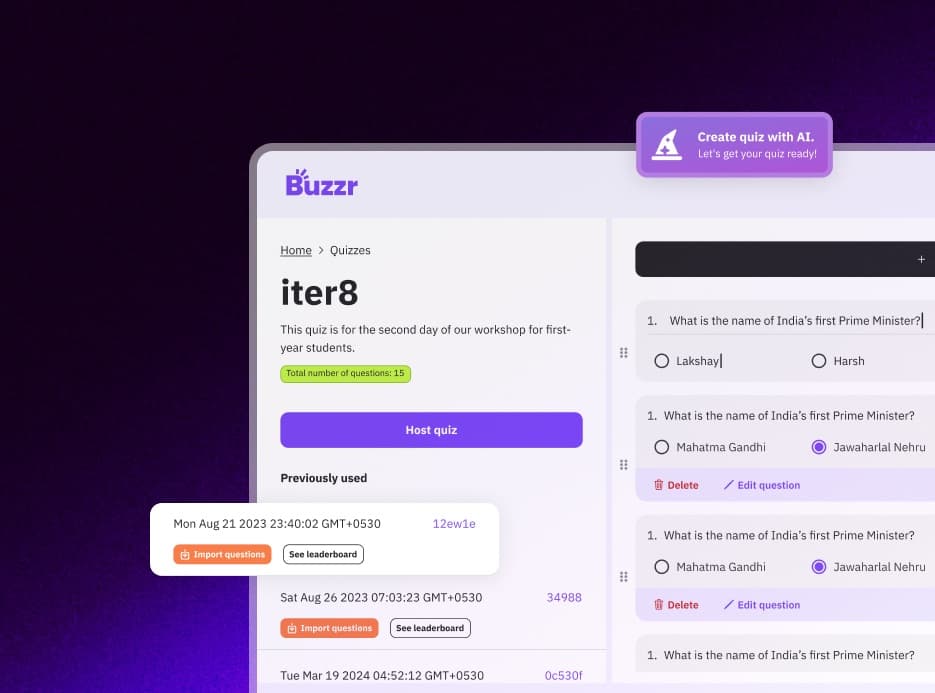
Buzrr is an open-source quiz platform that runs in the browser. A host builds a multiple-choice quiz — by hand or with AI — and opens a live room; players join from their own phones or laptops with a 6-character code, a link or a QR code, without creating an account. Signed-in users can also play ranked 1v1 quiz battles. Buzrr is licensed under AGPL-3.0, so anyone can read the code or run their own instance.
Keeping an audience with you
A room of people watching one speaker drifts. A short quiz — especially one with a leaderboard and a winner — brings attention back and tells you what stuck.
For a talk or a stream, the quiz has to be instant to join and simple to follow, because you only have the audience's attention for a few minutes.
How Buzrr works for audiences
Join from the screen
Show the QR code on your slide or overlay it on the stream. The audience joins in the browser in seconds.
A competitive format
Speed-based scoring and a live leaderboard make it a game, with a clear winner for a prize or a shout-out.
Questions from your talk
Upload your slides export or talk notes to a Knowledge Space and generate questions from them, each with a citation back to your material.
A quiz at the end of a talk
- 1
Write five questions about the talk, or generate them from your notes.
- 2
Put the join QR code on your last content slide so people join while you wrap up.
- 3
Switch to the host view and run the quiz, pausing on the answer chart for any question the room found hard.
- 4
Announce the winner from the final leaderboard.
Features that matter here
Live hosted quiz rooms
The host runs the room from one screen and moves it along question by question. Players join with a 6-character room code, a join link or a QR code.
Speed-based scoring
A correct answer earns up to 1,000 points, sliding to 100 at the time limit; wrong answers score 0. Answer time is measured on the server, not on the player's device.
Answer charts and leaderboards
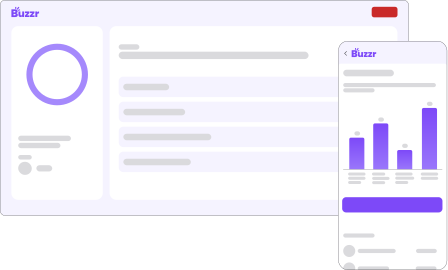
When a question closes, the host screen shows how the room answered alongside the running leaderboard. Final results — rank, score and correct answers per player — are saved to the host's history.
Quizzes from your documents
Upload PDF, DOCX, TXT or Markdown files to an AI Knowledge Space. Generated questions cite the passage they came from, and you export the ones you keep into a quiz.
No accounts for players
Players pick a name and an avatar and they are in. Only the host signs in (with Google).
Runs in the browser
Nothing to install for hosts or players. It works on phones, tablets and laptops.
Tips from running it
- Stream viewers see the host screen with a delay, but each player's question appears on their own device, so they aren't answering against the stream lag alone.
- Keep audience quizzes short — five to seven questions is plenty.
Know the limits
- Buzrr is quiz-only: there is no audience Q&A, polling, word clouds or slide presentation. Tools like Slido and Mentimeter cover those.
- Room size is capped at 50 players on Free and 250 on Pro.
- There is no PowerPoint or Google Slides integration — you switch from your slides to the Buzrr host tab.
What it looks like
Coming from another tool?
Related use cases
- Quiz rounds for college fests and club eventsFest quiz rounds, society inductions, freshers' nights, hackathon breaks — Buzrr gets a hall full of people answering on their own phones with one QR code on the screen.
- Knowledge checks for training sessionsTurn a training document into a live quiz at the end of the session: generate questions from the material, check what landed, and keep the whole thing on your own servers if you need to.
- Live quizzes for the classroomPut a code on the projector, students join from their phones or school laptops, and you run a quick review or a revision game in the time it takes to take attendance.
- Buzrr as an open-source quiz platformWhat's in the AGPL-3.0 codebase, how it's built, and how to contribute.
- Run a self-hosted quiz serverWhat you need to run your own Buzrr instance, and what changes when you do.
Try it with your group
Buzrr is free to start. Build a quiz, open a room and have people join from their phones.