Team building
Quick quizzes for team building
A Friday quiz, an all-hands icebreaker, an offsite warm-up. Drop the join link in chat and the whole team is playing inside a minute, remote or in the room.
What is Buzrr?
Buzrr is an open-source quiz platform that runs in the browser. A host builds a multiple-choice quiz — by hand or with AI — and opens a live room; players join from their own phones or laptops with a 6-character code, a link or a QR code, without creating an account. Signed-in users can also play ranked 1v1 quiz battles. Buzrr is licensed under AGPL-3.0, so anyone can read the code or run their own instance.
What makes a team quiz work
Team quizzes live or die on friction. If joining takes longer than the first question, half the call is still fiddling while the other half waits.
The best ones are also about the team: in-jokes, office trivia, "whose desk is this?" photo rounds. That means writing your own questions, quickly.
How Buzrr keeps it light
A link in the chat is enough
Share the room link in Slack, Teams or the meeting chat. Colleagues open it, pick a name and avatar, and they are in the lobby.
Photo rounds
Add an image to any question for baby-photo guessing, office-landmark or product-screenshot rounds.
Rematches with 1v1 battles
After the group round, colleagues with Buzrr accounts can challenge each other to a 1v1 match with an invite link.
AI for the generic rounds
Need a general-knowledge warm-up? Describe the topic and let AI draft the questions, then write the team-specific ones yourself.
A 15-minute Friday quiz
- 1
Write ten questions: a few about the team, a few about your product, and a general-knowledge warm-up drafted with AI.
- 2
At the start of the call, host the quiz and paste the link in chat.
- 3
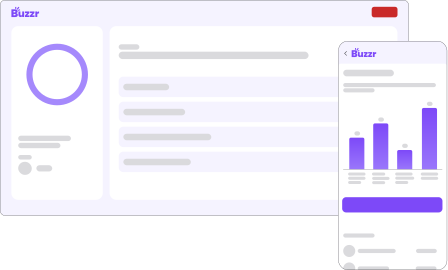
Share your screen with the host view so everyone sees the question, then the answer chart and running leaderboard.
- 4
Play it through, then crown the winner from the final leaderboard.
Features that matter here
Live hosted quiz rooms
The host runs the room from one screen and moves it along question by question. Players join with a 6-character room code, a join link or a QR code.
Image questions
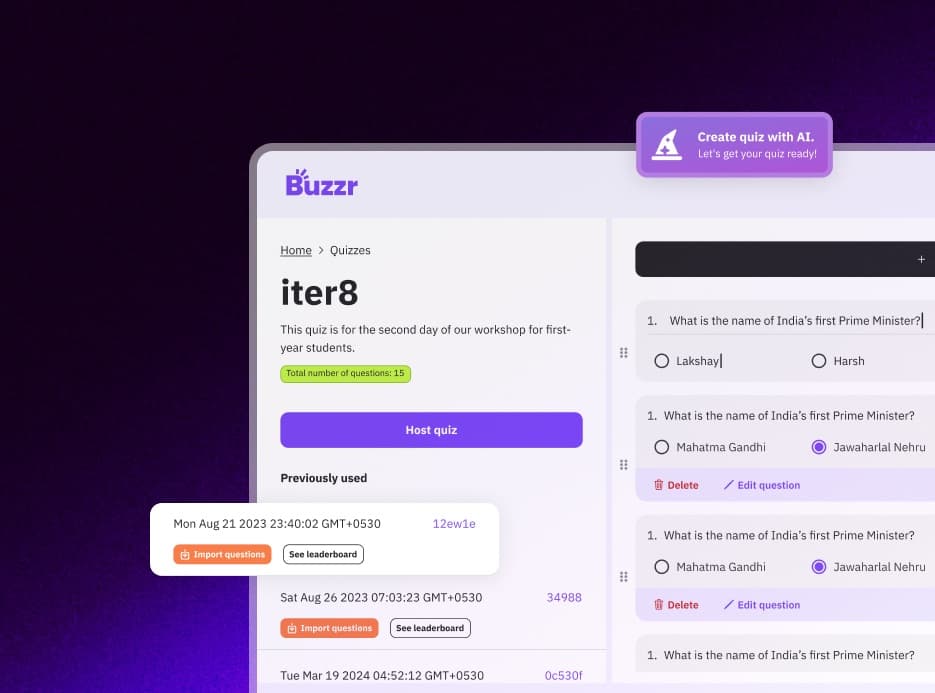
Attach an image to a question — a diagram, a map, a logo, a photo round.
Challenge a friend
Send an invite link for an unrated 1v1 match against someone you know.
AI quiz generation
Describe a topic and Buzrr drafts up to 15 multiple-choice questions with Google Gemini. Edit anything before you host.
Speed-based scoring
A correct answer earns up to 1,000 points, sliding to 100 at the time limit; wrong answers score 0. Answer time is measured on the server, not on the player's device.
Runs in the browser
Nothing to install for hosts or players. It works on phones, tablets and laptops.
Tips from running it
- Players see the question and options on their own device, so it works even when screen-sharing lags.
- Mix in easy questions: speed scoring means everyone still gets points on a question they know.
- Keep the quiz and host it again next month with new questions — past results are in your history.
Know the limits
- There are no Slack or Teams apps — you share a link.
- Only multiple-choice questions: no open-text, drawing or poll rounds.
What it looks like
Coming from another tool?
- Kahoot! alternativeLive rooms with a code, speed scoring and leaderboards — open source, self-hostable, plus ranked 1v1 battles.
- Slido alternativeFor Slido quiz, trivia and game sessions — not its Q&A or polls.
- QuizUp alternativeRanked 1v1 battles of seven timed questions, in the browser — QuizUp shut down in 2021.
Related use cases
- Knowledge checks for training sessionsTurn a training document into a live quiz at the end of the session: generate questions from the material, check what landed, and keep the whole thing on your own servers if you need to.
- Trivia nights without the answer sheetsWhether it's a regular pub quiz or a trivia night over video call, Buzrr does the marking and the leaderboard so the quizmaster can concentrate on the banter.
- Quiz rounds for college fests and club eventsFest quiz rounds, society inductions, freshers' nights, hackathon breaks — Buzrr gets a hall full of people answering on their own phones with one QR code on the screen.
- Buzrr as an open-source quiz platformWhat's in the AGPL-3.0 codebase, how it's built, and how to contribute.
- Run a self-hosted quiz serverWhat you need to run your own Buzrr instance, and what changes when you do.
Try it with your group
Buzrr is free to start. Build a quiz, open a room and have people join from their phones.